Download Engine
HTTP chunking, acceleration algorithm, protocol differences.
Each download protocol is implemented by the corresponding FeaturePack's Steps. HTTP and FTP share the chunking/acceleration/resume mechanism; M3U8 and BT delegate to external tools (N_m3u8DL-RE and libtorrent).
Source code: features/http_pack/task.py, features/ftp_pack/task.py.
HTTP Download Modes
A Range probe runs before downloading, and its result determines the download mode:
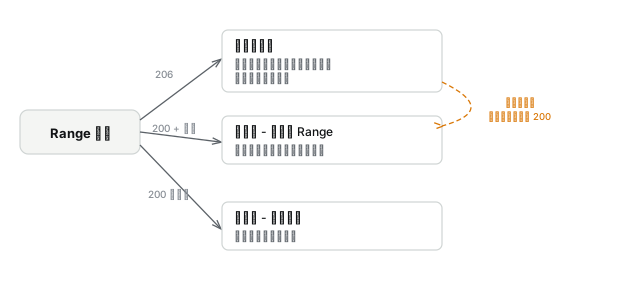
| Probe result | Mode | Behavior |
|---|---|---|
| 206 + content-range | Normal chunking | File is split evenly into N segments, downloaded in parallel with multiple threads, resumable |
| 200 + content-length | Range not supported | Single-threaded, restarts from the beginning on retry (truncates file) |
| 200, no content-length | Unknown size | Single-threaded, continues from the current position on retry |
In normal chunking mode, each chunk holds a byte range and downloads in parallel via the Range header, seeking into the same file. When a chunk finishes, it automatically takes over the second half of the chunk with the most remaining data, reducing tail-end waiting. The progress file saves the byte offset of every chunk each second for resume.
FTP shares the chunking mechanism with HTTP, using the REST command instead of the Range header and the SIZE command to get the file size (no probe needed).
Range Probe
The parser performs a two-phase probe when creating the Task:
Offset Probe
Sends bytes=1-1, requesting the second byte of the file. Offset 1 is used instead of 0 because bytes=0-0 cannot distinguish between "the server supports Range and returned the first byte" and "the server ignored Range and returned the entire file from the beginning."
The total file size can be extracted from the content-range header of a 206 response.
Fallback Probe
When the offset probe fails (server returns 200), retry with bytes=0-0 to support servers that only accept Range requests starting at 0.
The file size can also be extracted from the content-range header of a 416 response (Range not satisfiable).
If the extension's Resource cache already has metadata (file size, Range support), the parser skips the probe and uses the cached data. The Step also performs a lightweight probe at execution time, but only to follow redirects and get the final URL, not to re-evaluate Range support.
Runtime degradation: If the server returns 200 during download (CDN switch, rate limiting policy change), the engine automatically degrades from multi-threaded to single-threaded: truncate the file, delete the progress file, and restart from the beginning.
Automatic Acceleration
Speed is sampled once per second. After 5 samples accumulate, stability is checked (max deviation < 15%); skip if unstable.
Record Baseline
Record the current parallelism and speed, then split the 4 chunks with the most remaining data. Splitting selects targets by remaining bytes (not by speed) and assigns the second half to a new chunk. Skip if remaining data is too small.
Wait and Compare
Wait at least 5 seconds, then sample again. Compare the speed gain and parallelism gain.
Gain ≥ 80%: bandwidth still has headroom, return to step 1 and continue accelerating. Gain < 80%: near the bandwidth ceiling, permanently stop accelerating.
Acceleration is one-time. The server's bandwidth ceiling does not change during a single download. If increasing parallelism did not speed things up, trying again will not help.